
Best Pandas Data Analysis Tools to Buy in September 2026
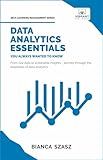
Data Analytics Essentials You Always Wanted To Know : A Practical Guide to Data Analysis Tools and Techniques, Big Data, and Real-World Application for Beginners


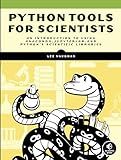
Python Tools for Scientists: An Introduction to Using Anaconda, JupyterLab, and Python's Scientific Libraries
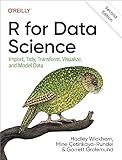
R for Data Science: Import, Tidy, Transform, Visualize, and Model Data
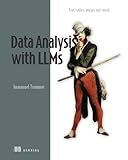
Data Analysis with LLMs: Text, tables, images and sound (In Action)
Advanced Data Analytics with AWS: Explore Data Analysis Concepts in the Cloud to Gain Meaningful Insights and Build Robust Data Engineering Workflows ... (Data Analyst — AWS + Databricks Path)
The Data Economy: Tools and Applications
Head First Data Analysis: A learner's guide to big numbers, statistics, and good decisions
In pandas, you can divide datasets by using the iloc method. This method allows you to select rows and columns by their integer index positions. You can specify the range of rows and columns you want to divide the dataset into by providing the start and end index positions.
For example, to divide a dataset into two parts, you can use the following syntax:
first_part = df.iloc[:100] second_part = df.iloc[100:]
This code will divide the dataset df into two parts - the first 100 rows will be stored in the first_part variable, and the rest of the rows will be stored in the second_part variable.
You can also divide datasets based on specific conditions by using boolean indexing. This allows you to filter the dataset based on certain criteria and create multiple subsets of the data.
Overall, by using the iloc method and boolean indexing in pandas, you can easily divide datasets into smaller parts based on your requirements.
How to divide datasets in pandas using groupby?
To divide datasets in pandas using groupby, you can follow these steps:
- Import the pandas library:
import pandas as pd
- Create a DataFrame with your dataset:
data = {'Category': ['A', 'B', 'A', 'B', 'A', 'B'], 'Value': [1, 2, 3, 4, 5, 6]} df = pd.DataFrame(data)
- Use the groupby function to group the dataset by a specific column (e.g., Category):
grouped = df.groupby('Category')
- You can now perform calculations or operations on the groups. For example, you can calculate the sum of values for each category:
sum_values = grouped['Value'].sum() print(sum_values)
This will output:
Category A 9 B 12 Name: Value, dtype: int64
You can also iterate over the groups to access each group individually:
for name, group in grouped: print(name) print(group)
This will output:
A Category Value 0 A 1 2 A 3 4 A 5
B Category Value 1 B 2 3 B 4 5 B 6
By using the groupby function, you can easily divide your dataset into groups based on a specific column and perform various calculations or operations on these groups.
What is the best practice for dividing datasets in pandas?
The best practice for dividing datasets in pandas is to use the train_test_split function from the sklearn.model_selection module. This function randomly splits the dataset into training and testing sets, allowing for unbiased evaluation of the model's performance.
Here is an example code snippet demonstrating how to use train_test_split:
from sklearn.model_selection import train_test_split import pandas as pd
Load the dataset into a pandas dataframe
data = pd.read_csv('dataset.csv')
Split the dataset into features (X) and target variable (y)
X = data.drop('target_variable', axis=1) y = data['target_variable']
Split the dataset into training and testing sets
X_train, X_test, y_train, y_test = train_test_split(X, y, test_size=0.2, random_state=42)
In the above code snippet, X represents the features of the dataset, y represents the target variable, and test_size determines the percentage of data to be used for testing. The random_state parameter ensures reproducibility of the results.
How to combine divided datasets back together in pandas?
To combine divided datasets back together in pandas, you can use the concat() function. Here is an example of how to do this:
- If you have divided a dataset into multiple parts, such as by using the split() function, you can concatenate these parts back together by using the concat() function.
import pandas as pd
Assuming df1 and df2 are two divided datasets
df_combined = pd.concat([df1, df2])
- If the datasets have the same columns, the concat() function will simply stack the dataframes on top of each other. If the datasets have different columns, you can use the merge() function to combine them based on a common column.
# Assuming df1 and df2 have different columns df_combined = pd.merge(df1, df2, on='common_column')
- You can also specify the axis parameter in the concat() function to combine the datasets horizontally (axis=1) or vertically (axis=0).
# Combine datasets horizontally df_combined = pd.concat([df1, df2], axis=1)
By using these methods, you can easily combine divided datasets back together in pandas.